
Jujutsu Beatdown PvE Missions, Grades and Revives
Jujutsu Beatdown has two PvE missions with different bosses and playable character drops. Your difficulty determines which clear rewards you qualify for and whether you can revive teammates.
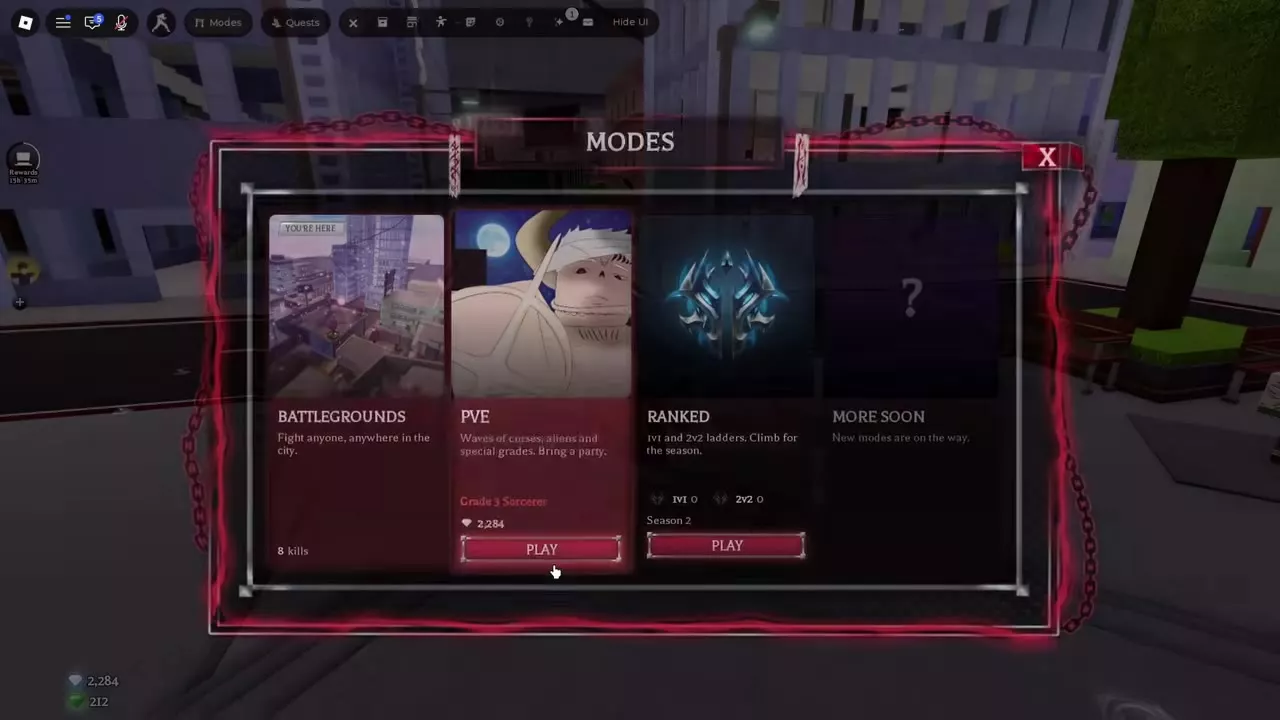
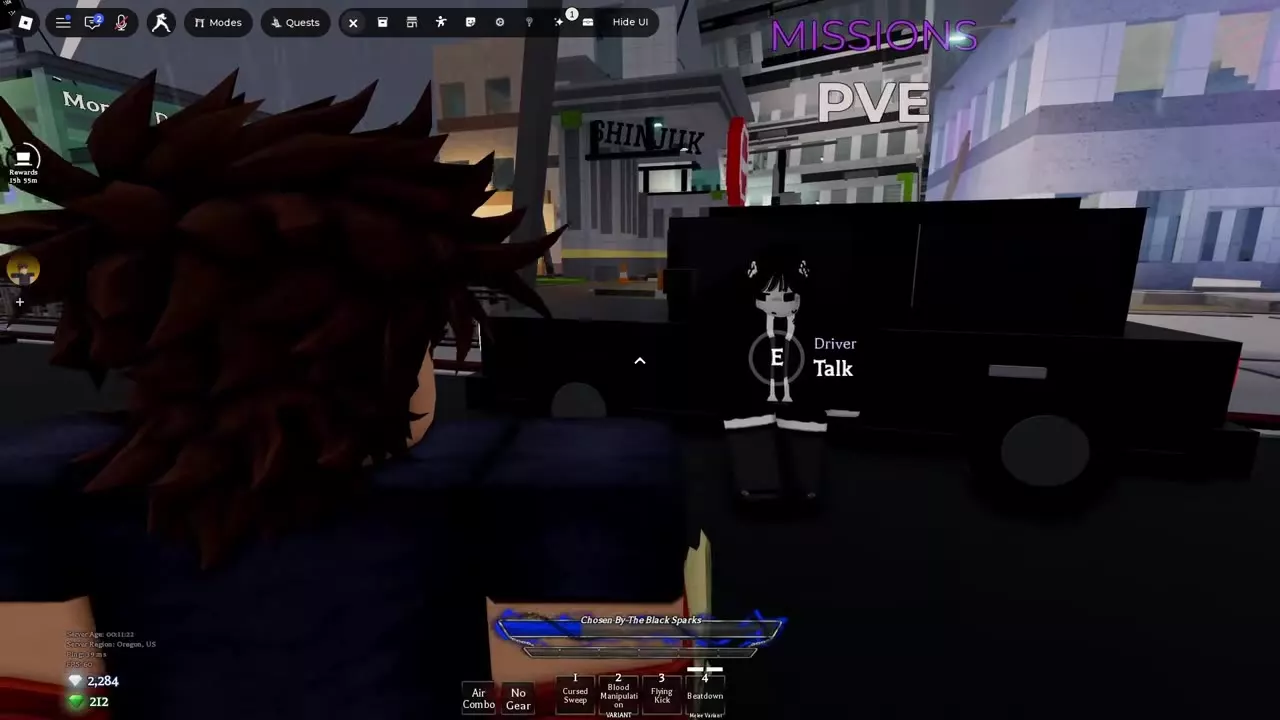
Open Modes and press PLAY on the PvE card, or talk to the Driver beneath the MISSIONS PVE sign. In the lobby, choose Alien Sorcerer Invasion or Special Grade Threat and queue solo or in a party of up to four. In runs that allow revives, interact with a downed teammate’s orb to bring them back. Challenge and HARDCORE disable revives and pickups.
Join PvE Through Modes or the Driver
Both routes lead to the PvE lobby.
- Modes menu. Open Modes and select PLAY on the PvE card.
- City Driver. Follow the MISSIONS PVE sign to the vehicle. Stand near the Driver and use the E Talk prompt.
At the lobby queue, select a mission and an available difficulty. Start solo or enter with a party of up to four players.
PvE Mission Directory
Pick the mission that drops the fighter you want. Each mission’s character has a 5% drop chance on a Special Grade clear and a 10% drop chance on a Challenge clear.
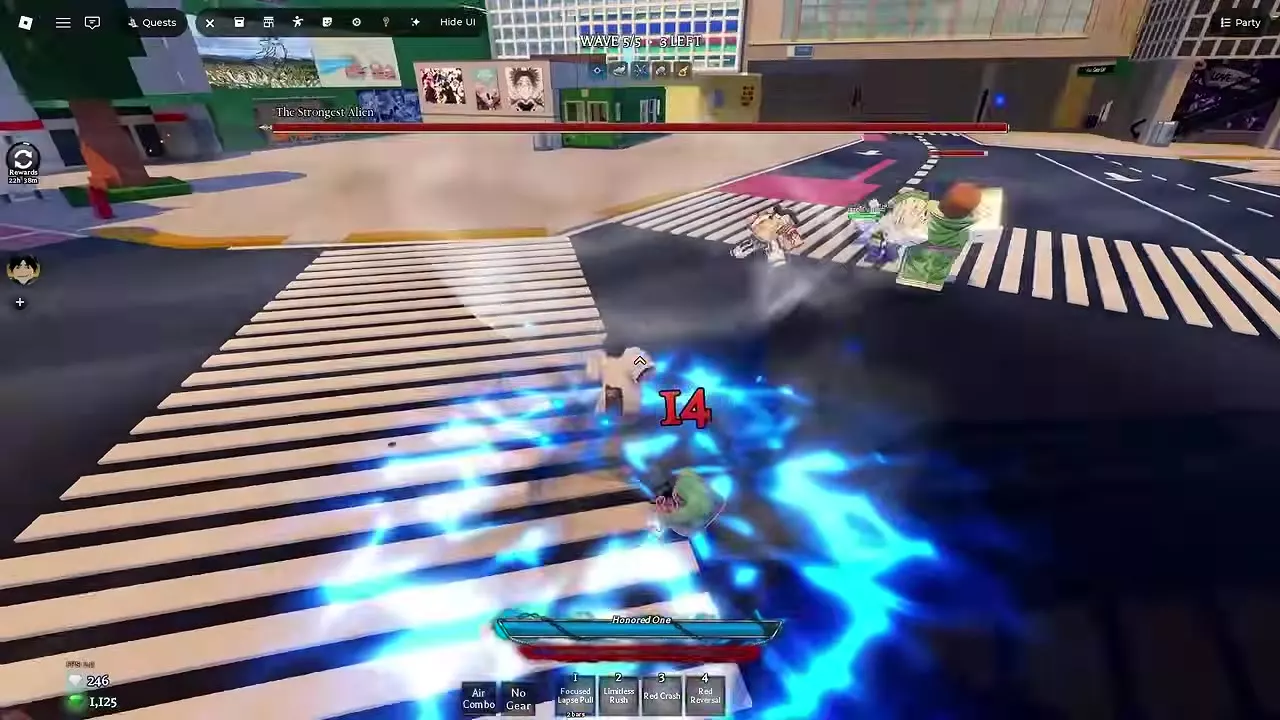
- Alien Sorcerer Invasion. Clear the waves and defeat The Strongest Alien in the final wave. Finish both of his forms to complete the mission. Alien Sorcerer Invasion walkthrough
- Special Grade Threat. Choose the PvE lobby mission to fight the Death Painting brothers and the Finger Bearer. Eso’s attacks are unblockable, so move out of range and hit back in the gaps. Solo players can interrupt his moves. In parties of two or more, he has armor throughout each move, so wait for the attack to finish before going in. The city event also called Special Grade Threat is a separate Battlegrounds fight against Thukuna. PvE and city boss encounters
Compare mission opponents and which playable fighter each mission can unlock.
2 objects
|
|
The Strongest Alien | Strongest Alien Special Grade or Challenge clear | 5 waves Grade 4 · Team run example | |||||||||||||||||||||||||||||||||||
|---|---|---|---|---|---|---|---|---|---|---|---|---|---|---|---|---|---|---|---|---|---|---|---|---|---|---|---|---|---|---|---|---|---|---|---|---|---|---|
|
A wave-based PvE mission that ends in a fight against The Strongest Alien.
TipsClear Special Grade for a 5% Strongest Alien drop chance or Challenge for 10%. Challenge disables revives and pickups. Follow the wave and boss routes. |
||||||||||||||||||||||||||||||||||||||
|
|
Death Painting brothers, Finger Bearer | Blood Brother Special Grade or Challenge clear | — | |||||||||||||||||||||||||||||||||||
|
A PvE mission against the Death Painting brothers and the Finger Bearer. Higher-difficulty clears can drop Blood Brother.
TipsClear the Death Painting brothers and Finger Bearer mission for a 5% Blood Brother chance on Special Grade or 10% on Challenge. Evade Eso's unblockable attacks and strike in openings. See the Blood Brother unlock options. |
||||||||||||||||||||||||||||||||||||||
Difficulty Grades, Challenge and Hardcore
Choose the difficulty before you queue. It determines which clear rewards you qualify for. The order is Grade 4 → Grade 3 → Grade 2 → Grade 1 → Special Grade → Challenge. Letters such as A and S are performance ratings you receive at the end of the run.
- Challenge doubles the character drop chance per clear compared with Special Grade and disables revives and pickups. Choose Special Grade if your team relies on those options to finish consistently.
- HARDCORE is a toggle on Challenge. Revives and pickups stay disabled. It pays 40% more PvE Coins per wave and one extra crate on a clear, and offers an exclusive title. Your first HARDCORE clear of the day on Challenge gives 2 Skill Points to the character you cleared with. Pick the fighter whose Skill Tree you want to advance.
Clears from Grade 1 upward can drop Cursed Hourglass. Special Grade, Challenge, and HARDCORE have higher drop rates. Use the Hourglass to shorten active crate timers.
Wave Play, Revives and Settlement
Pick an augment and clear the wave
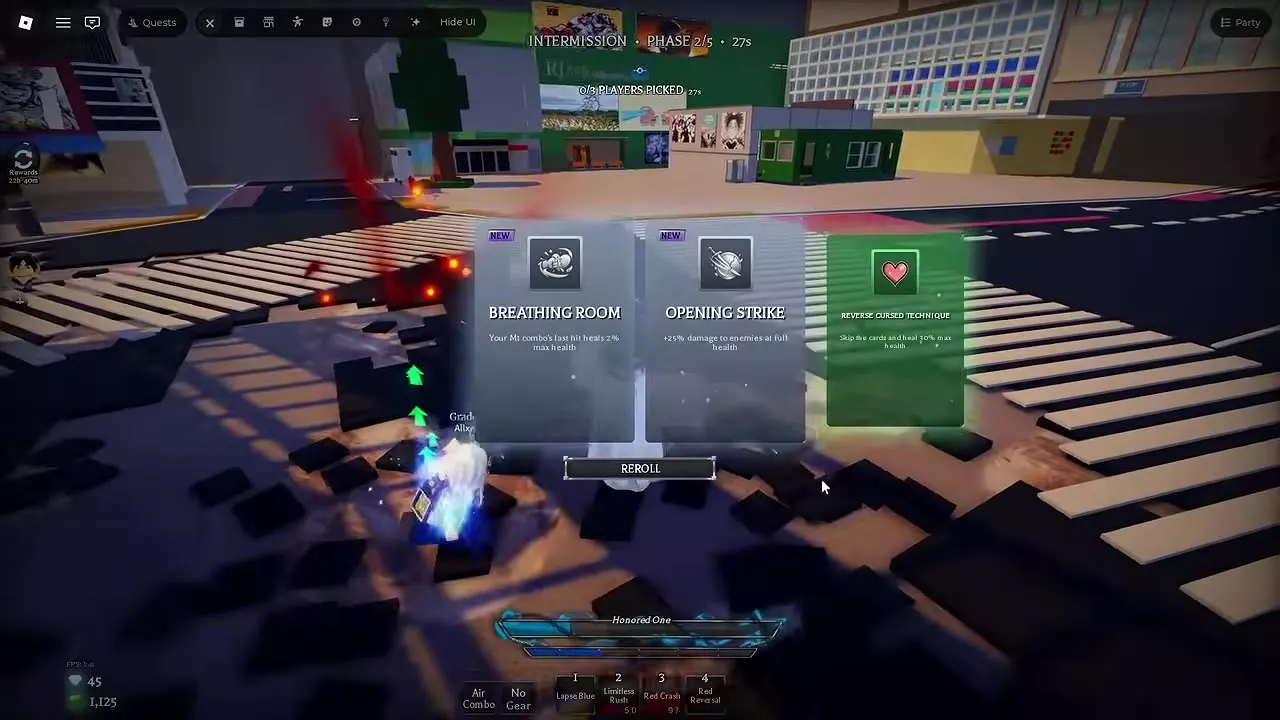
- Pick an augment during the opening INTERMISSION. Read the three choices and the countdown, and use REROLL if you want a different set of offers. In a party, PLAYERS PICKED shows how many players have locked in a choice. Augments apply to the current run.
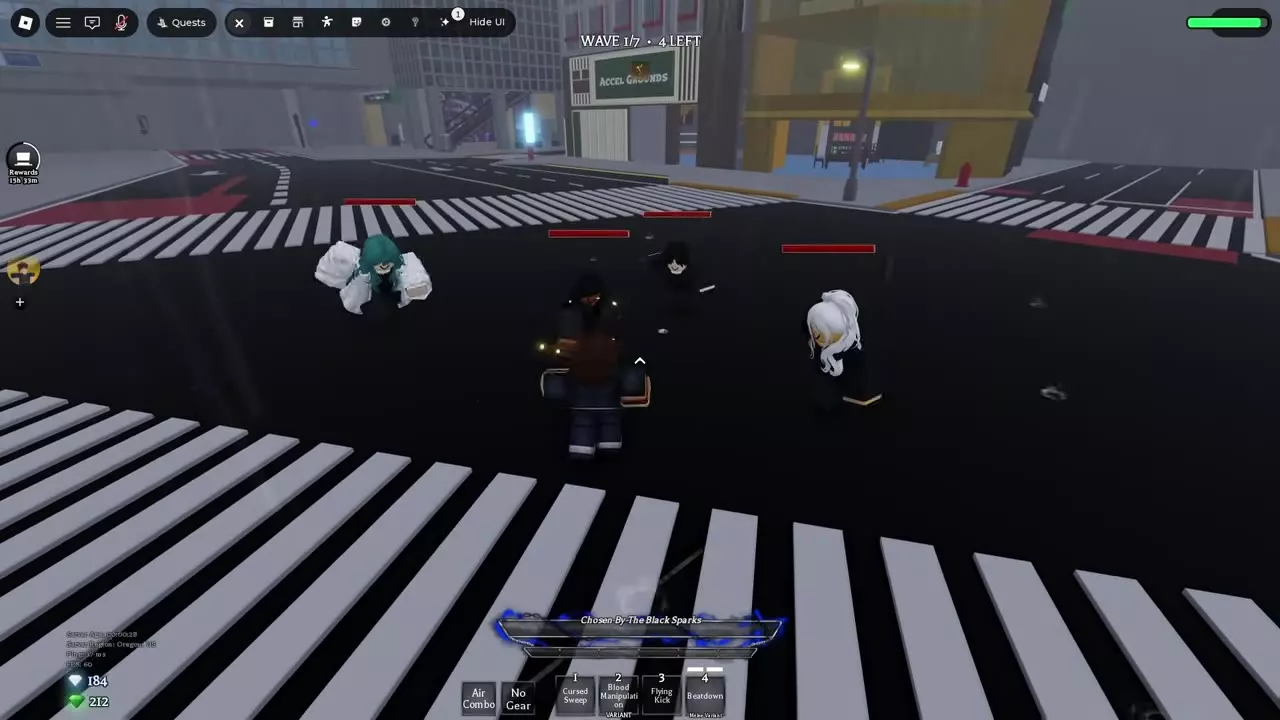
- Clear the wave. The HUD shows the wave number and how many enemies are left. Use wide attacks when enemies bunch up. You keep wave payouts you’ve already earned if you go down later.
- Pick again at the next intermission and keep clearing waves until you finish the mission.
Revive a downed player
In a run that allows revives, go to the orb where your teammate fell and use its revive interaction to bring them back. If you go down and have a free revive available from the PvE Respawn upgrade, select FREE REVIVE. A teammate reviving you at your orb preserves that free revive. If the game offers a paid revive, confirming the purchase returns you to the run.
Read the results and choose what’s next
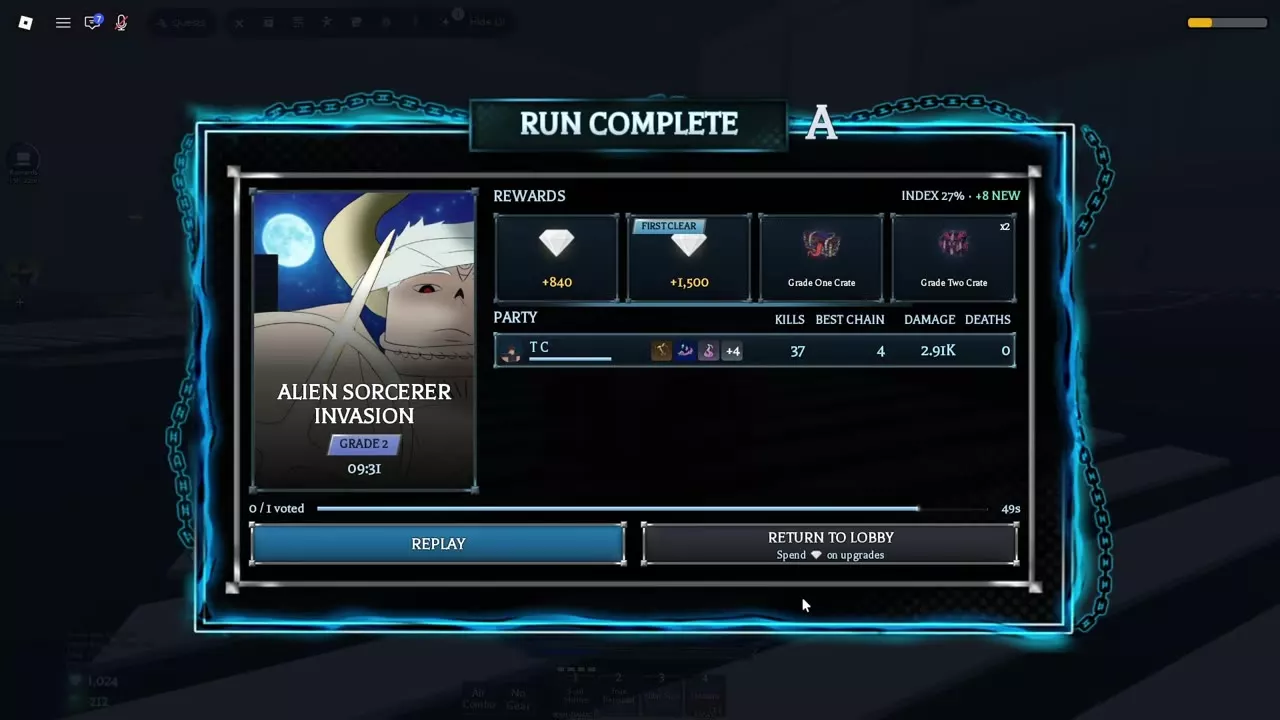
On RUN COMPLETE, check the mission, difficulty, clear time, and letter rating. The rewards panel separates regular rewards, any FIRST CLEAR bonus, and earned crates. The party panel lists KILLS, BEST CHAIN, DAMAGE, and DEATHS. Results can also show MVP, Index progress, and new Index entries.
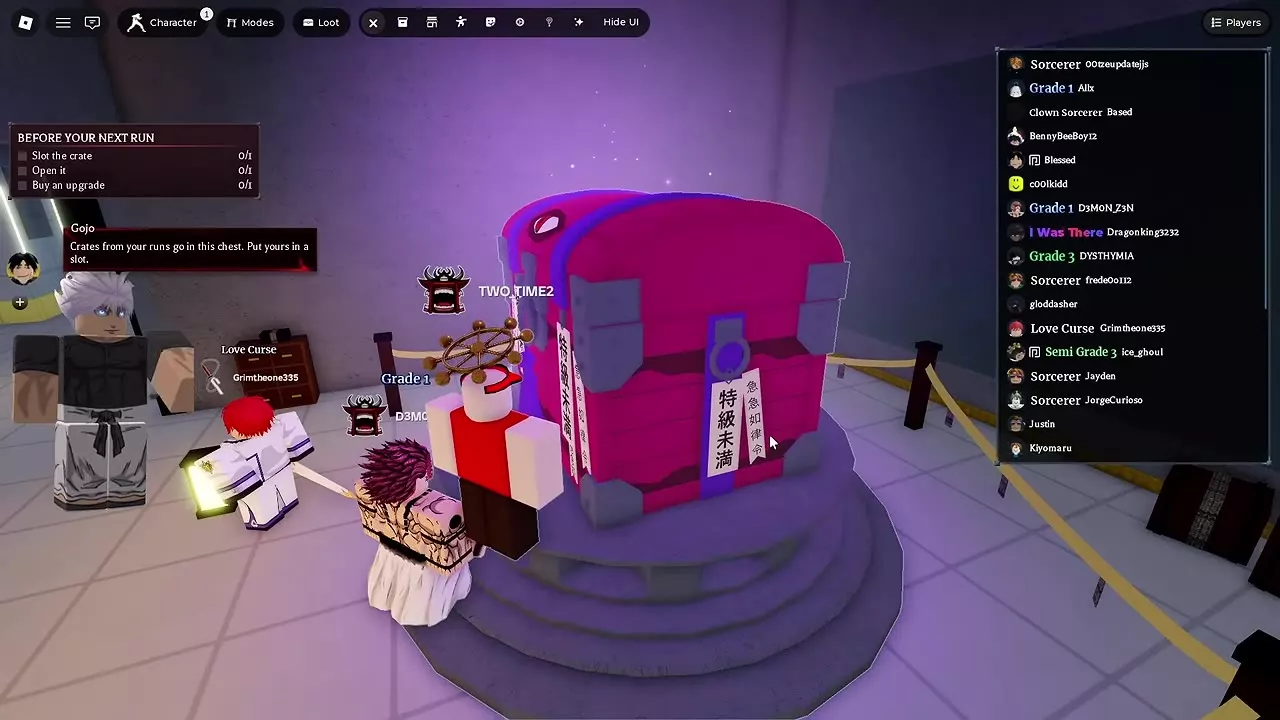
Select REPLAY to vote for another run. The screen shows the vote count and countdown. Select RETURN TO LOBBY to slot and open earned crates at the lobby chest or spend PvE Coins on permanent upgrades at the vendor.
PvE Runs, Bosses and Progression
- Pick a fighter for grouped waves, boss openings, or a specific augment. PvE character picks
- Look up intermission cards and claim Gems for new Index entries in the lobby. PvE augments and Index rewards
- Spend wave Coins at the lobby vendor to get PvE Respawn for future runs. PvE Coins and permanent upgrades
- Slot earned crates, let their timers run offline, or shorten active timers with a Cursed Hourglass. Loot crates and Cursed Hourglass
- Compare mission drops with the direct unlock options in Agent Select. Character unlock routes
Articles and guides
6Jujutsu Beatdown PvE Characters for Waves and Bosses
Pick The Honored One or Disaster Flame for wave clearing and Cursed Fist for boss openings. Match your Jujutsu Beatdown PvE fighter to your party and augments.
Jujutsu Beatdown Alien Sorcerer Invasion Guide
Clear Alien Sorcerer Invasion in Jujutsu Beatdown, beat both forms of The Strongest Alien, and compare Grade 4 and Grade 2 payouts and character drop rates.
Jujutsu Beatdown PvE Coins and the Respawn Upgrade
Earn PvE Coins in Jujutsu Beatdown, buy permanent upgrades in the lobby, and learn when PvE Respawn grants a free revive.
Jujutsu Beatdown Loot Crates, Rewards and Cursed Hourglass
Earn and open Jujutsu Beatdown Loot Crates, speed up every active timer with Cursed Hourglass, and find which crate drops the Mythical Exorcist title.
Jujutsu Beatdown PvE and City Boss Guide
Find Strongest Alien, Eso, and Thukuna in Jujutsu Beatdown, and learn when to interrupt, evade, or attack each boss.
Jujutsu Beatdown PvE Augments and Index Rewards
Look up Jujutsu Beatdown PvE augments, learn when to reroll or heal, and see how to use Possession and claim Index Gems in the PvE lobby.