Jujutsu Beatdown Loot Crates, Rewards and Cursed Hourglass
PvE Loot Crates unlock on a timer once you put them in a slot. Fill your slots before logging off, and save Cursed Hourglasses for when several crates are counting down.
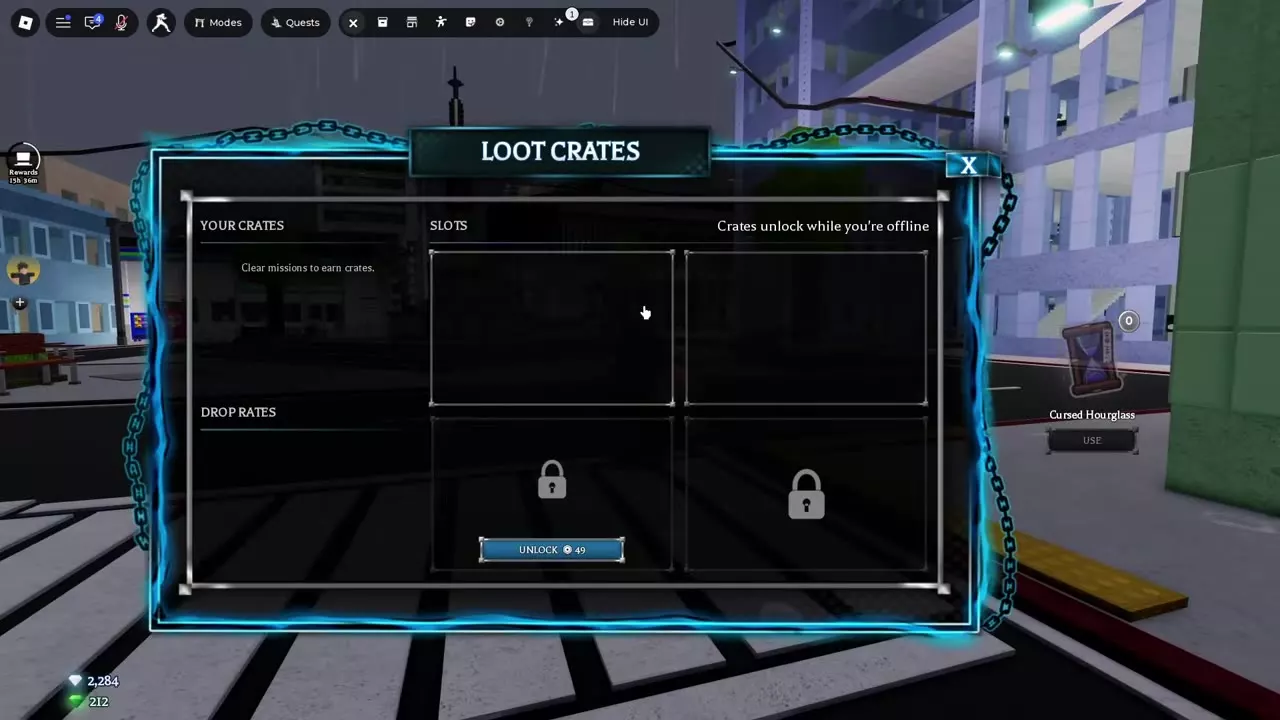
Earn crates from PvE waves and mission clears. In the PvE lobby, move a crate from YOUR CRATES to an available slot and open it after its timer ends. The countdown continues offline. Grade 1 or higher clears can drop Cursed Hourglass, which removes 30 minutes from every active crate timer per use. The Mythical Exorcist title drops only from Special Grade Crates.
Earn Crates and Check Your Slots
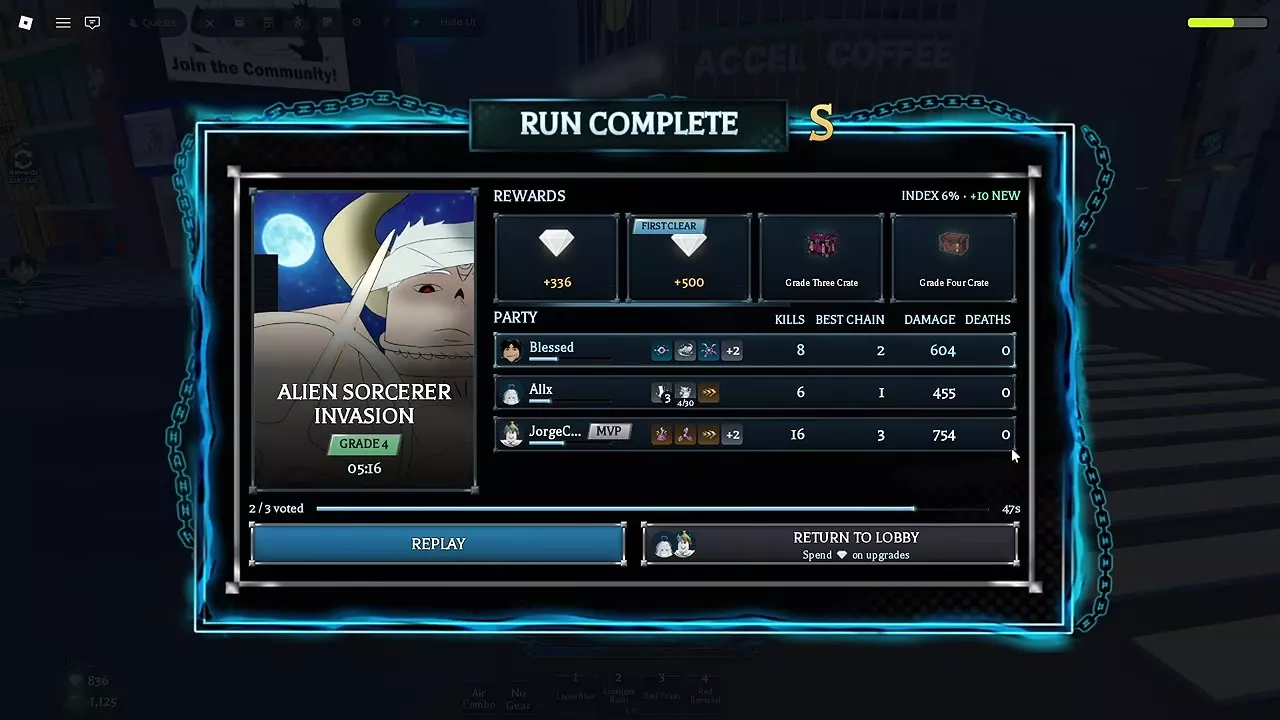
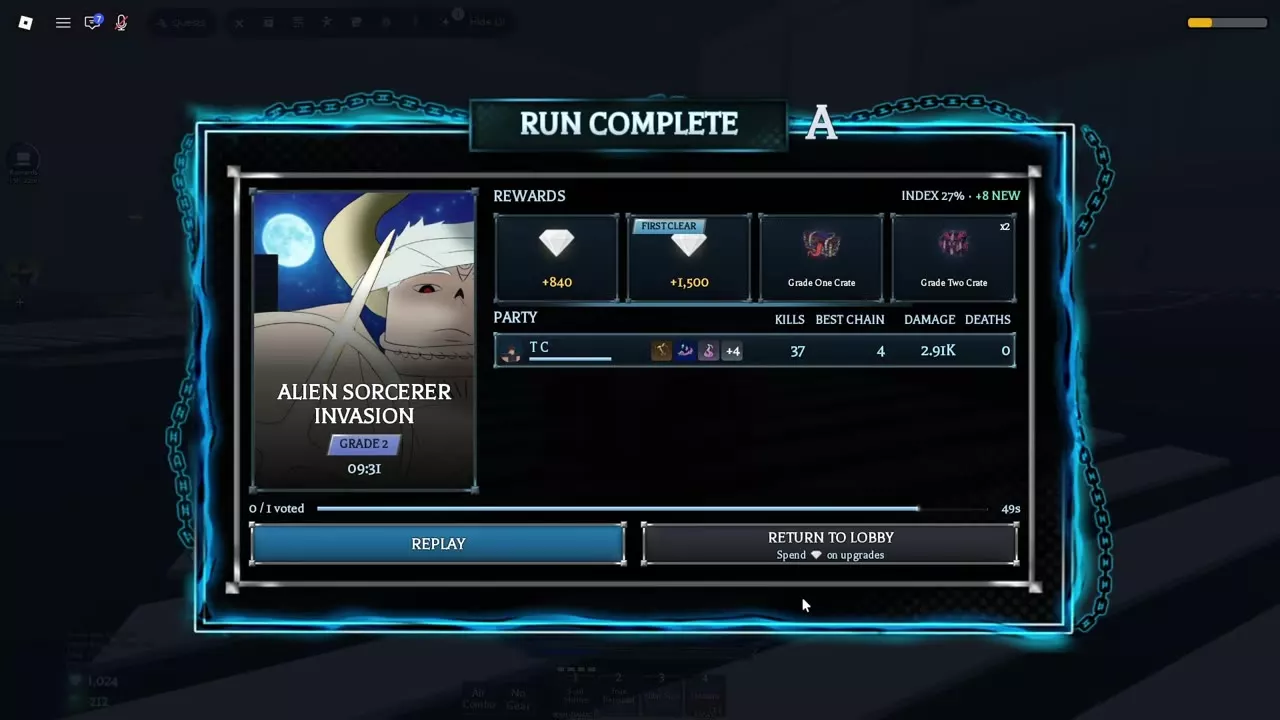
Clear waves and defeat bosses in PvE to earn Loot Crates. Watch for crate notifications after a wave and check Rewards on the Run Complete screen. Rewards from waves you’ve already cleared stay with you if you go down later in the run. A HARDCORE clear awards one extra crate. Find a PvE mission and choose a difficulty.
In Loot Crates, check Your Crates for the crates you’ve earned and Slots for space to start a countdown. The four-slot layout has two unlocked slots and two locked slots. One of the locked slots has an Unlock button priced at 49 Robux.
Slot a Crate and Open It
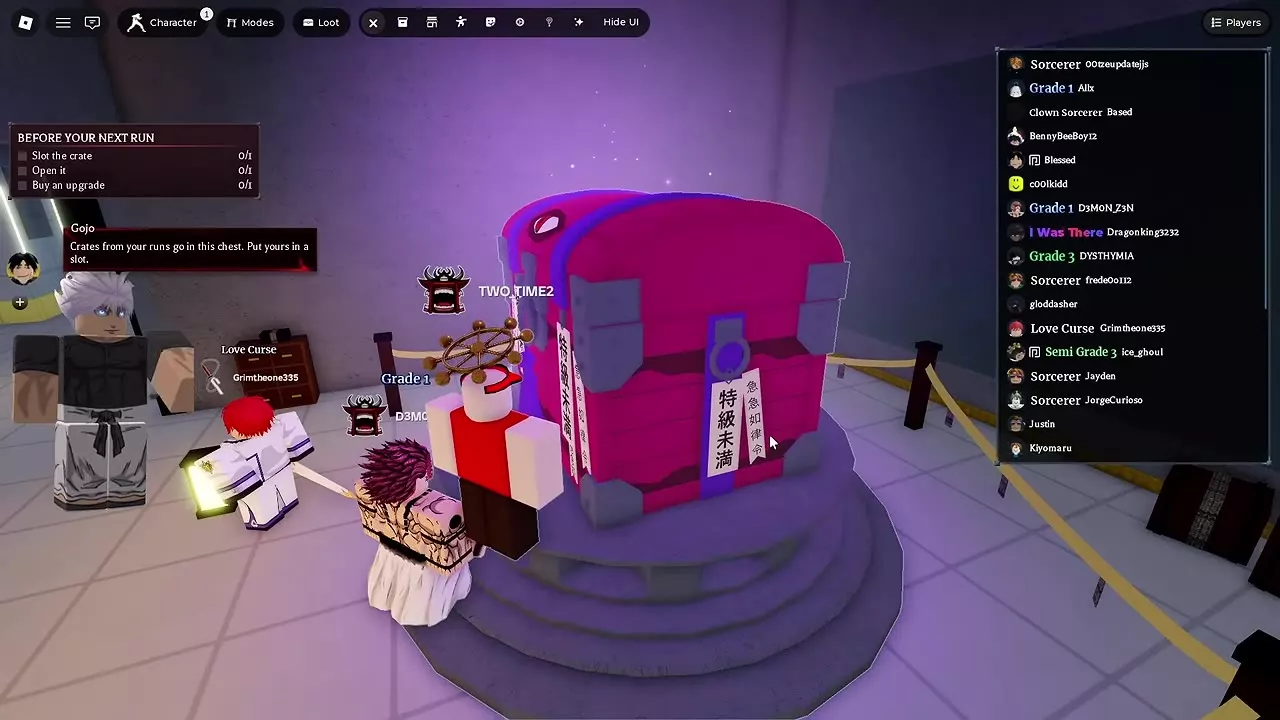
- Select Return to Lobby after the mission and open Loot Crates at the large chest in the PvE lobby.
- Place a crate from Your Crates into an empty space under Slots. This starts its timer. Fill any other available slots before leaving so those timers can run alongside it.
- Let the timer finish. It keeps counting down while you’re offline. When the crate is ready, open it from its slot to roll a reward from that crate’s grade, then use the freed slot for your next crate.
Get and Use Cursed Hourglass
Clear a PvE mission at Grade 1 or higher for a chance to get a Cursed Hourglass. The drop rate is higher on Special Grade, Challenge, and Grade 1 or higher HARDCORE clears.
With at least one crate counting down, open Loot Crates and select Use beneath Cursed Hourglass on the right. One Hourglass removes 30 minutes from every active timer. If you’re about to slot another crate, slot it first so both countdowns benefit. For example, two crates with 45 and 75 minutes left drop to 15 and 45 minutes left after a single use.
Crate Rewards by Grade
Open a Special Grade Crate for a chance at Exorcist, a Mythical title exclusive to that crate grade. Find Exorcist in the title unlock directory.
The V2 patch raised the Skill Point roll chance for Grade Two, Grade One, and Special Grade Crates compared with their pre-patch rates. Rolling an item you already own gives 1 Skill Point in place of the duplicate item or a Gem payout. Use Skill Points to unlock character skill tree nodes.
Alien Sorcerer Invasion crate payouts
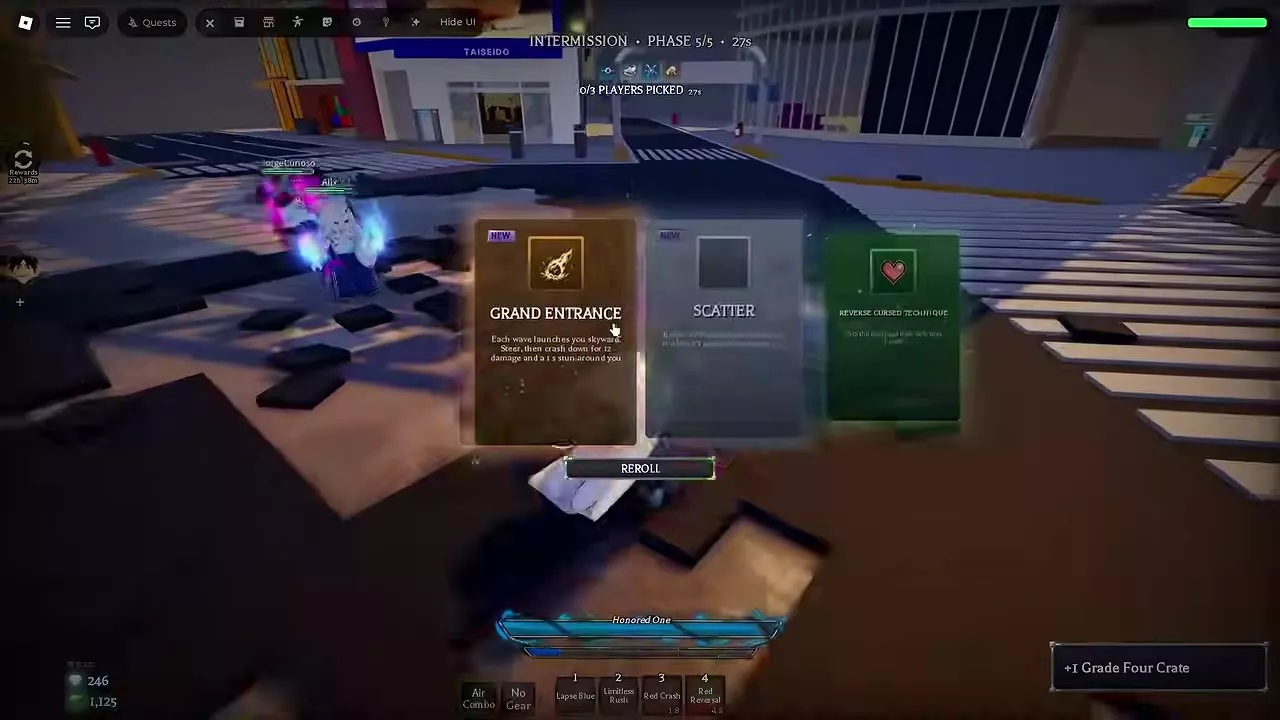
- Grade 4, three players, S rank in 5:16. Clearing Wave 4 earned one Grade Four Crate. Defeating the boss earned one Grade Three Crate.
- Grade 2, solo, A rank in 9:31. Defeating the boss earned one Grade One Crate. The final reward list also included two Grade Two Crates.
Follow the Alien Sorcerer Invasion wave and boss walkthrough.
5 objects
| Name | Crate grade | Example reward source |
|---|---|---|
|
Grade Four
|
Wave 4 clear
| |
| ||
|
Grade Three
|
Boss clear
| |
| ||
|
Grade Two
|
Mission reward list
| |
| ||
|
Grade One
|
Boss clear
| |
| ||
|
Special Grade
| — | |
| ||