
Jujutsu Beatdown Ranked Guide: Queue, Elo and Season Titles
Ranked puts Jujutsu Beatdown players into seasonal 1v1 and 2v2 arena matches. Use the Modes menu to enter, then follow the opening countdown and match HUD.
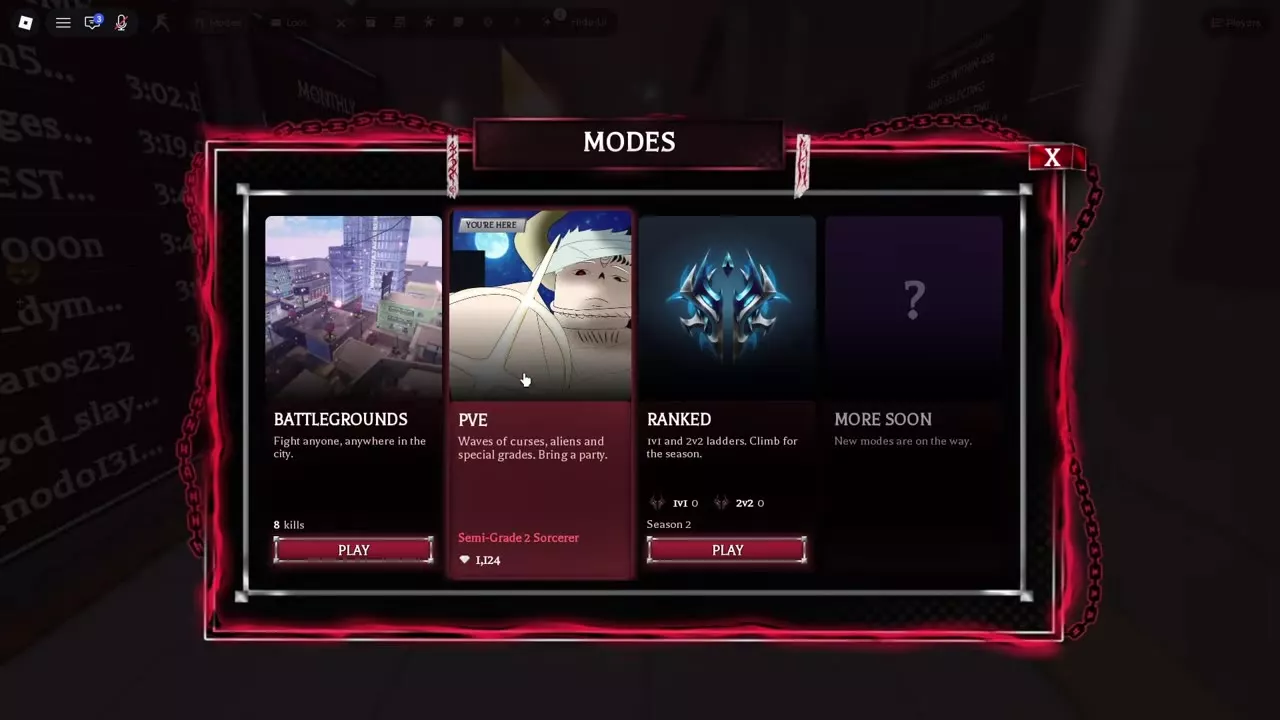
Open Modes and press PLAY on the Ranked card. The card shows separate 1v1 and 2v2 values; after Selection Phase and the countdown, fight when BEATDOWN! appears. In Season 1, Legend and Masters qualified for a season title.
Queue for Ranked
- Open Modes and find the Ranked card alongside Battlegrounds and PvE.
- Check the season label and the separate 1v1 and 2v2 values on the card.
- Press PLAY on the Ranked card to enter.
Ranked has seasonal 1v1 and 2v2 ladders. The 2v2 format supports spectating, and console players can use a virtual cursor in Ranked.
For a straightforward close-range fighter, Cursed Fist offers Flying Kick and Beatdown routes. Compare other PvP characters by playstyle before choosing a kit.
Selection Phase and Match Start
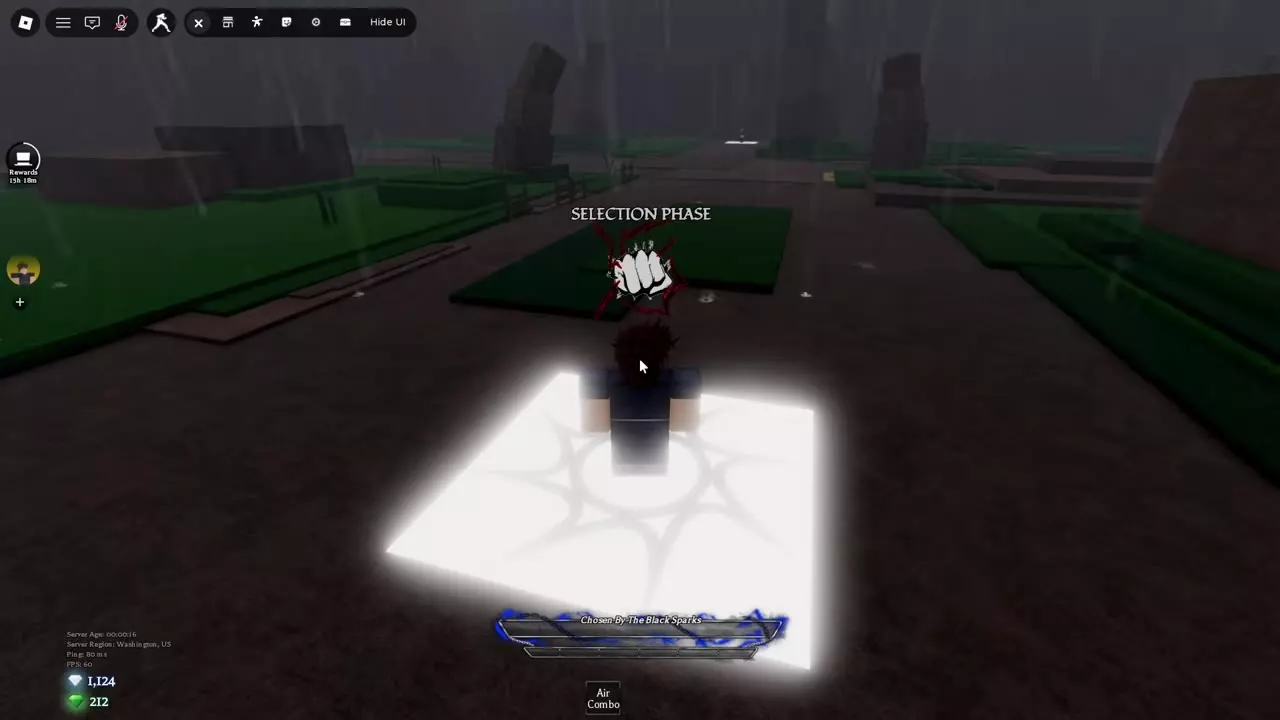
After entering the arena, wait through Selection Phase and the opening countdown. Engage the opposing side when BEATDOWN! appears.
Watch the timer and the two sides' markers at the top of the screen as you fight. If you respawn on a glowing pad after a defeat, leave the pad to rejoin the fight. Use your openings to approach and attack, and block or disengage when the opponent has pressure; the combat basics guide covers those exchanges.
Elo and Season 1 Title Eligibility
Ranked uses Elo for its seasonal ladders. Read the 1v1 and 2v2 values separately on the Ranked card, and visit the leaderboards in the Ranked lobby to check standings.
In Season 1, players in Legend or Masters, the two highest divisions, qualified for a season title. Browse the title unlocks for other title requirements.