
Jujutsu Beatdown Gems and Kill Bank Guide
Choose a Gem route that fits the mode you play, check your Kill Bank, and plan your next Gear purchase or cosmetic summon.
Earn Gems from quests, public Battleground activities, PvE clears, eligible first clears, and new PvE Index entries. The Kill Bank adds 50 Gems per kill up to 2,500. Save for a Gear effect or budget 200–350 Gems for a standard cosmetic summon.
Gem Routes by Activity
- Quests and rewards: Complete available objectives and claim their rewards. Check Agent, daily, and tutorial quests alongside login and other claimable rewards.
- Public Battlegrounds: Join public activities while fighting other players. One Team Beatdown win at the end of the timer awarded 30 Gems. Battleground mode Gem rewards are disabled in private servers.
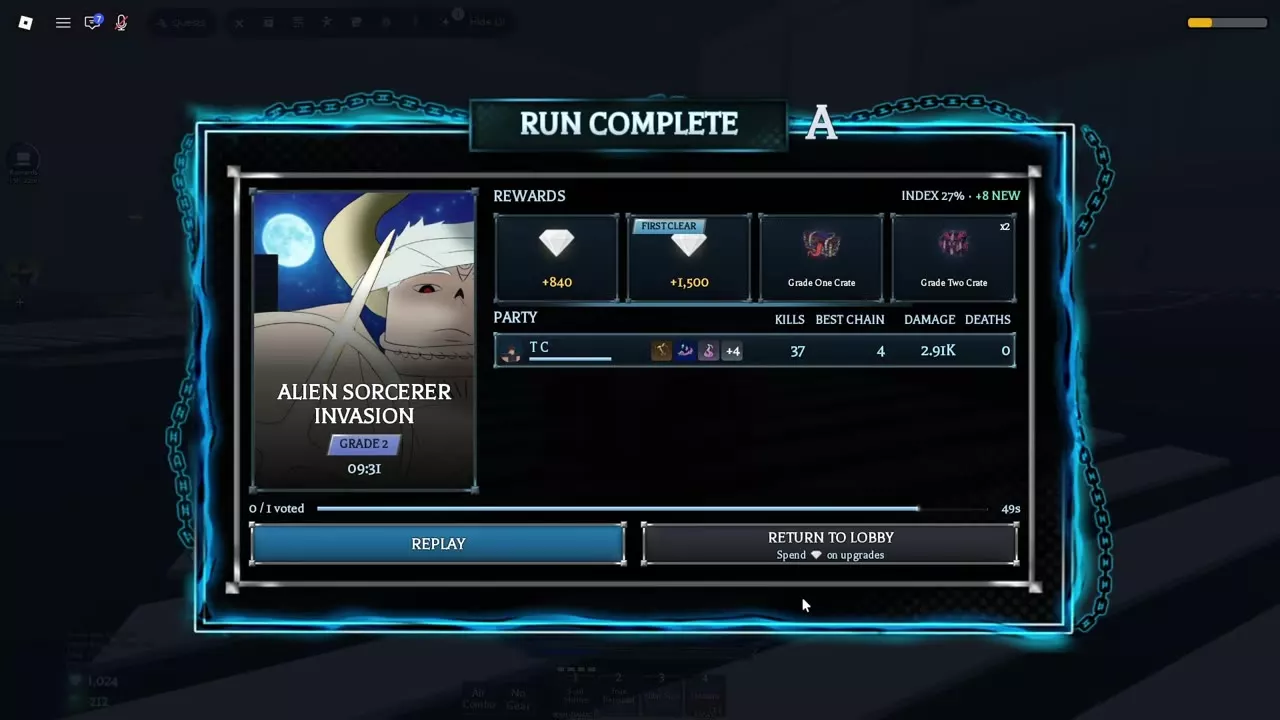
- PvE clears: Finish a PvE mission and read the Run Complete rewards. An eligible First Clear bonus is shown separately from the run payout. Wave payouts already earned carry through if you fall in a later wave.
- PvE Index: During intermission, choose an augment marked NEW. After it is added to the Index, return to the PvE lobby to claim its Gems. Run Complete also shows your Index progress and new entries. See PvE augments and Index rewards for the card list.
Two Alien Sorcerer Invasion clears illustrate separate run and first-clear rewards:
| Run | Time | Rating | Run Gems | First Clear |
|---|---|---|---|---|
| Grade 4 team | 5:16 | S | 336 | 500 Gems |
| Grade 2 solo | 9:31 | A | 840 | 1,500 Gems |
These are individual clear results with different grades, party sizes, times, and ratings.
Read the Kill Bank
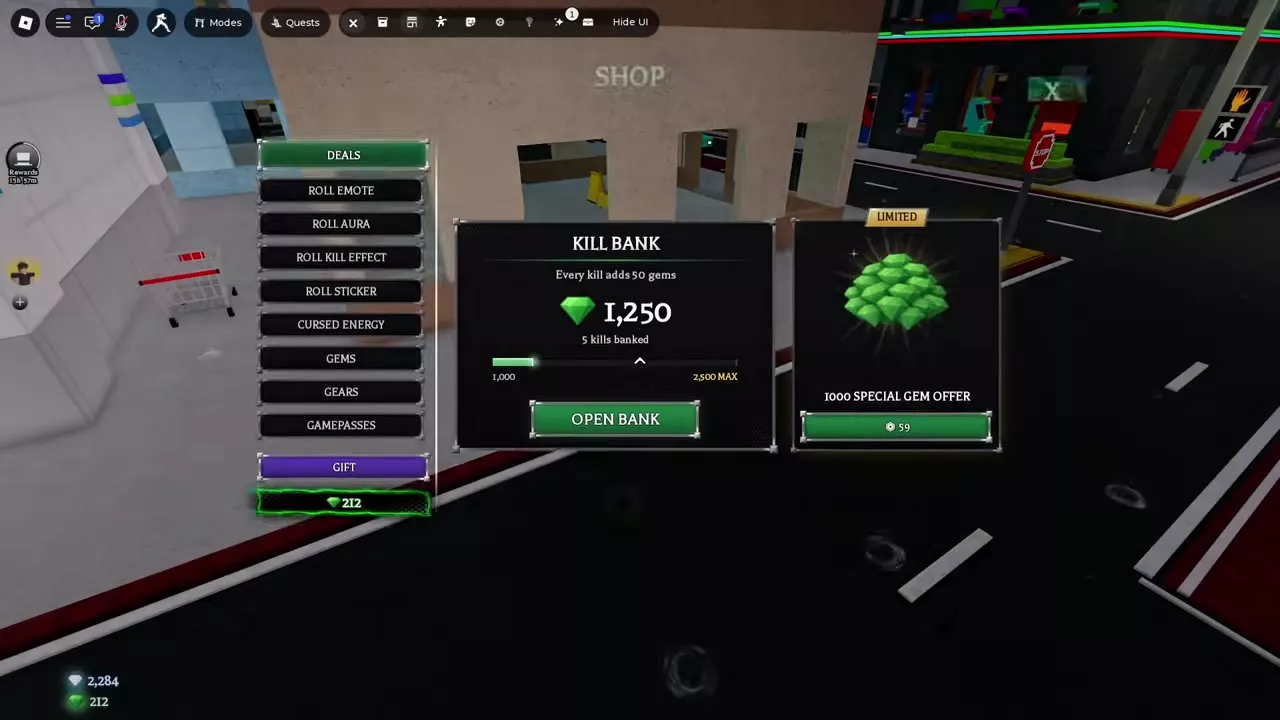
- Open Shop → Deals and find Kill Bank.
- Read the banked Gem balance and Kills Banked as separate figures. The bank is separate from your spendable Gem balance.
- Use Open Bank to access it.
Each kill adds 50 Gems to the bank, up to a maximum balance of 2,500 Gems. That maximum equals 50 deposits of 50 Gems. The 1,000-Gem mark is a progress-bar marker.
Budget for Gear or Cosmetic Rolls
Save for a specific Gear item when you want a known combat effect. Open Inventory → Gears to compare its price and effect before buying. For a cosmetic, open its roll menu in Shop and budget for one summon:
| Summon | Standard price |
|---|---|
| Sticker | 200 Gems |
| Emote | 300 Gems |
| Aura | 330 Gems |
| Kill Effect | 350 Gems |
An Emote summon costs 255 Gems with VIP, a saving of 45 Gems. Cosmetic summons give an item you do not already own from the relevant pool.
Shop → Deals has also offered 1,000 Gems for 59 Robux as a limited special. During the pre-V2 Halloween event, the station plaza witch's Candy Shop exchanged 400 Candy for 25 Gems, up to 500 Gems for the event.
Crate Duplicates and Separate Currencies
A duplicate Loot Crate reward gives 1 Skill Point (SP) instead of Gems. PvE Coins are a separate currency used for PvE upgrades.
Read each reward at its own entrance: check quest rewards in Quests, run payouts and eligible First Clear bonuses on Run Complete, and collect new Index rewards in the PvE lobby.