
Jujutsu Beatdown Controls and Keybinds
Find the default PC inputs and adjust your controls in Jujutsu Beatdown V2.
On PC, use M1 for melee, Q to dash, F to block, E for Cursed Energy, G to awaken, and Ctrl to slide. Customize keybinds under Settings → Keybinds. V2 also supports controller menu navigation and a mobile layout editor.
Default PC Controls
Move forward while pressing Q for a Dash Attack; add Jump to that input for an Air Counter. Press G when the awakening prompt is ready. E activates Cursed Energy for move variants and enhancements, with a chance of Black Flash.
For when to use these inputs in a fight, see combat basics. For energy variants and Black Flash, see Cursed Energy and Black Flash.
8 objects
| Name | Input |
|---|---|
Melee Combo |
M1 (left click) (On PC)
|
Dash |
Q (On PC)
|
Dash Attack |
Forward + Q (On PC)
|
Air Counter |
Forward + Q + Jump (On PC)
|
Block |
F (On PC)
|
|
G (On PC)
| |
| |
|
E (On PC)
| |
| |
Slide |
Ctrl (On PC)
|
Change Keybinds and Edit the Mobile Layout
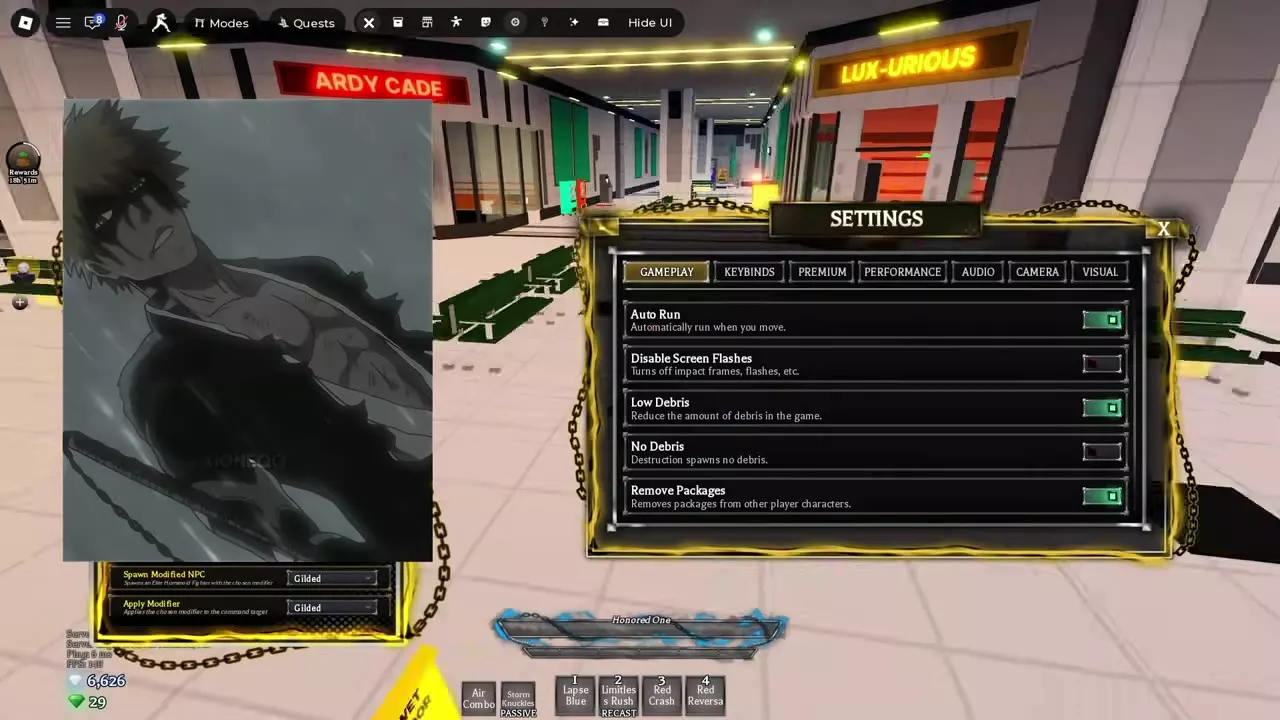
In V2, open Settings, then select Keybinds to customize your bindings. On a touchscreen, use the mobile layout editor to arrange the on-screen controls.
Tap the currency display to open its tip in the lower-left corner. For the other settings tabs, see gameplay, performance, and audio settings.
Controller Navigation and Hotbar Variants
In V2, use a controller to navigate every in-game menu. After the V2 patch, you can switch between controller and mouse while using the emote and sticker wheels.
Watch the active hotbar for the names and numbers of available moves: variants can change its contents. Each fighter has a V2 Air Combo, and Geppo replaces the old double jump. See parkour and wall running for movement uses.
On PC, Heavenbound uses E to open a weapon-selection hotbar. The pre-V2 base bar offers Fists, Playful Cloud, Soul Split Katana, and Gun.